Testing overview (pavel notes)
There has been numerous books written about software testing and quick google search will only leave you with more questions as there are many levels of testing and approaches how to tackle those. If you want to start going down the rabbit hole Software testing article on the Wikipedia is a good start.
Therefore, we will focus on how we approach testing in risr/ and mainly on the end-to-end testing which we use the most, and unlike other levels of testing, spans from the development team all the way to the delivery and support teams.
In a nutshell
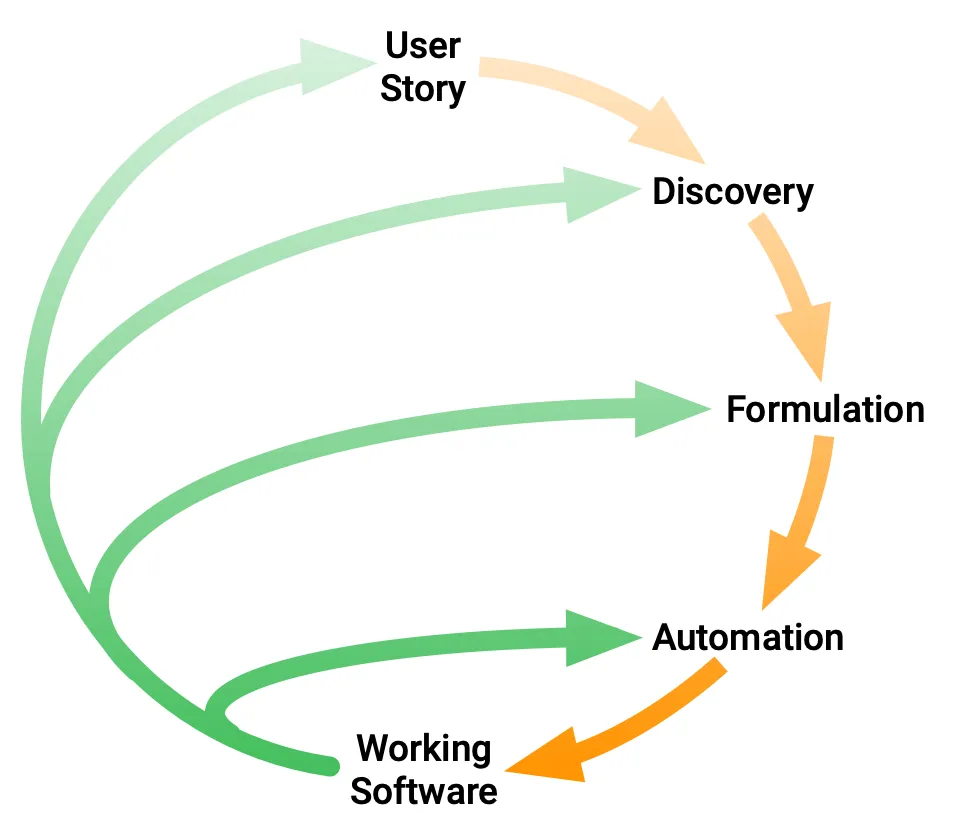
During the early stages of the Narrative process the Task forces perform Discovery of the functional requirements. The outcome of this discussion comes in forms of user stories, mockups, free text descriptions and set of rules or examples depending on the task force.
That outcome is transformed during Formulation using Cucumber testing platform which uses Gherkin language into set of Features, Scenarios and Steps. The task force works together on the Formulation to make sure the all requirements from the Discovery phase are captured.
The resulting set of features & scenarios is then Automated and added to our end-to-end test suite for the relevant product.
There is much more to it of course and we strongly recommend to exploer excelent Behaviour-Driven Development documentation on the Cucumber.io website.
Example - Zendesk integration
As all that may feel a bit abstract at first let’s take a look at a real example of how the process looks like for a new feature. In this case we will take a look at the Zendesk support chat integration which as recently been added to the risr/assess.
Discovery
The discovery phase is a process of gathering requirements and understanding the problem. It is a collaborative process of the task force members in form of three amigos meeting, specification workshop or discovery workshop or example mapping session.
The format is not as important as the result which is a shared understanding of the problem and the solution among the task force members with an outcome in form of a set of requirements, here as a User stories.
User stories
AS A /assess administrator - risr/ I WANT TO BE ABLE TO Access the chat widget in risr SO THAT I can ensure that it is enabled on the instance.
AS A Person with chat access from risr/assess I WANT TO ABLE TO When using the chat in busniess hours, see an automated response asking me if my query is related to an exam running now, and if I say yes, I am directed to a human support agent SO THAT I can talk to them about the question I have.
Formulation
Formulation is the process of turning a shared understanding of how a system should behave into a business readable specification, in our case using Gherkin language. For our example user stories above the formulation could look like this:
Feature: Zendesk support chat integration

  This feature integrates the Zendesk chat into our products.

  Users with permission to use this feature, they can get support using the
  Zendesk chat widget, which is located in the bottom right corner of the screen.

  Users who don't have permissions do not see the widget on the page.

  Scenario: risr/ administrator can see the chat widget
    Given Admin logged into Assess
    Then Admin sees the Open Zendesk chat button

  Scenario: User reports an exam delivery issue in business hours

    User can report an issue related to a live exam using the Zendesk chat widget. The live exam support has diferent Zendesk worklfow compared to the general support.

    Given Tim logged into Assess
    When Tim navigates to "Settings > Global Criteria" using the main menu
    When Tim opens the Zendesk chat
    Then Tim sees "Hi there. Got a question? I'm here to help." text in the Zendesk chat
    When Tim clicks the "Report an isssue" button in the Zendesk chat
    Then Tim sees "Is this related to a live exam?" text in the Zendesk chat
    When Tim types "Yes" text into the Zendesk chat
    Then Tim sees "Please wait, I'm connecting you to a human support agent" text in the Zendesk chat
Automation
The automation part is done by the development or QA team members as part of the task force work. Autmation of the Gherkin fetures consists of creating fixtures and implementing steps. Both of these tasks may be optional as the test suites contain many fixtures and we have Cucumber steps library ready to be used.
The Fixture is a representation of system state which is required to execute the test. This can be set of Users, some content like Exams/Items/Blueprints, or some configuration settings.
The Step is the code executed when the test suite runs. It is responsible for interacting with the system, asserting the state of the system and/or setting the system state.
In our example we had to create a new configuration file and add implementation of the Zendesk steps into our shared library. We now can add the following to our Zendesk feature to complete the automation:
Feature: Zendesk support chat integration

  Scenario: Prepare system state for test
    Given system database is clean
    Given system configuration "zendesk_chat" is loaded
    Given system state is loaded from fixture "minimum-system-setup"

  Scenario: risr/ administrator can see the chat widget
  ...
Continuous integration & execution
All our end-to-end test suites are using Playwright framework to execute the test suite using web browser and to interact with the web pages. This allows us to consistently set environment for the test runs such as browser (Chrome, Firefox, Safari or Edge), screen size, language, browser capabilities, etc…
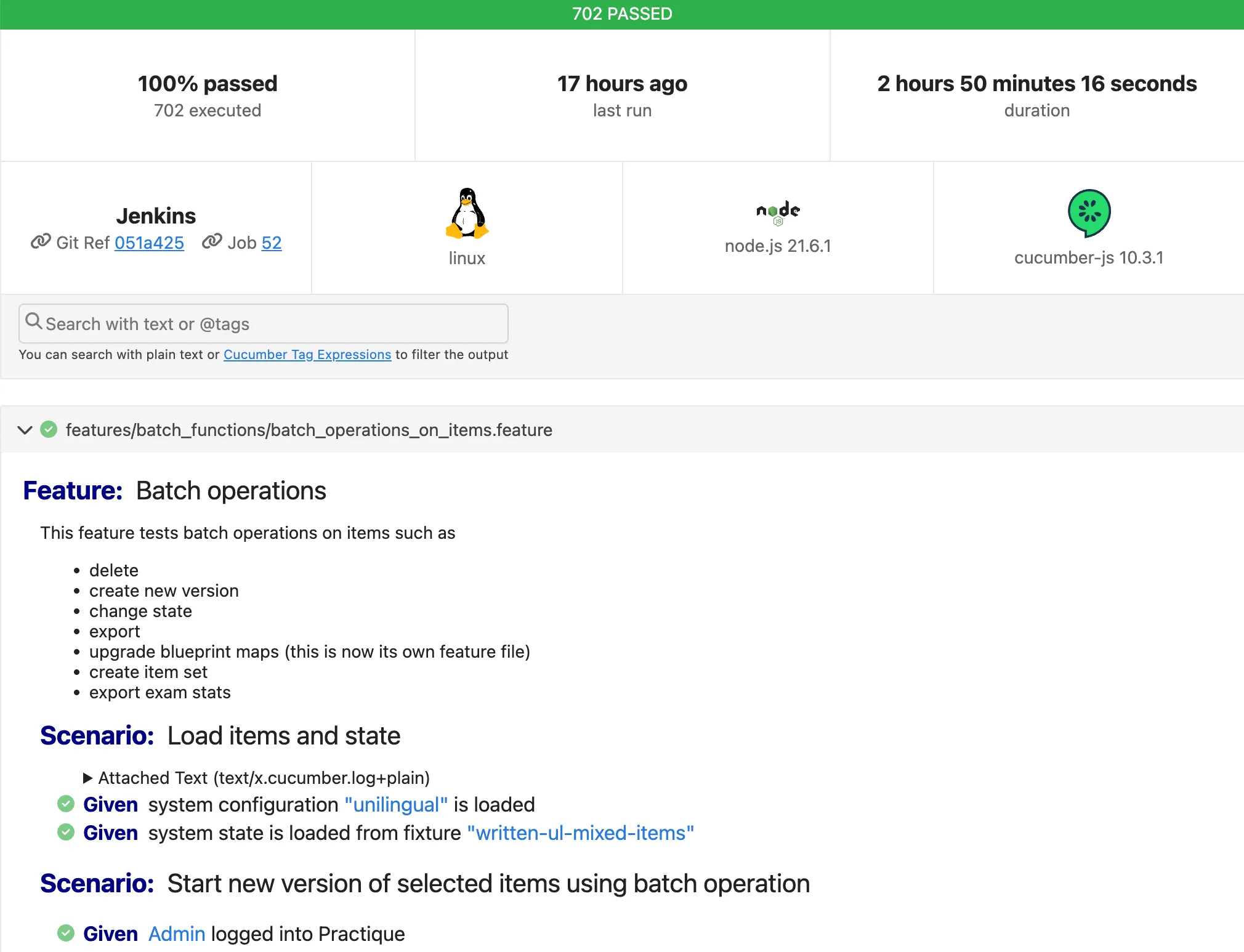
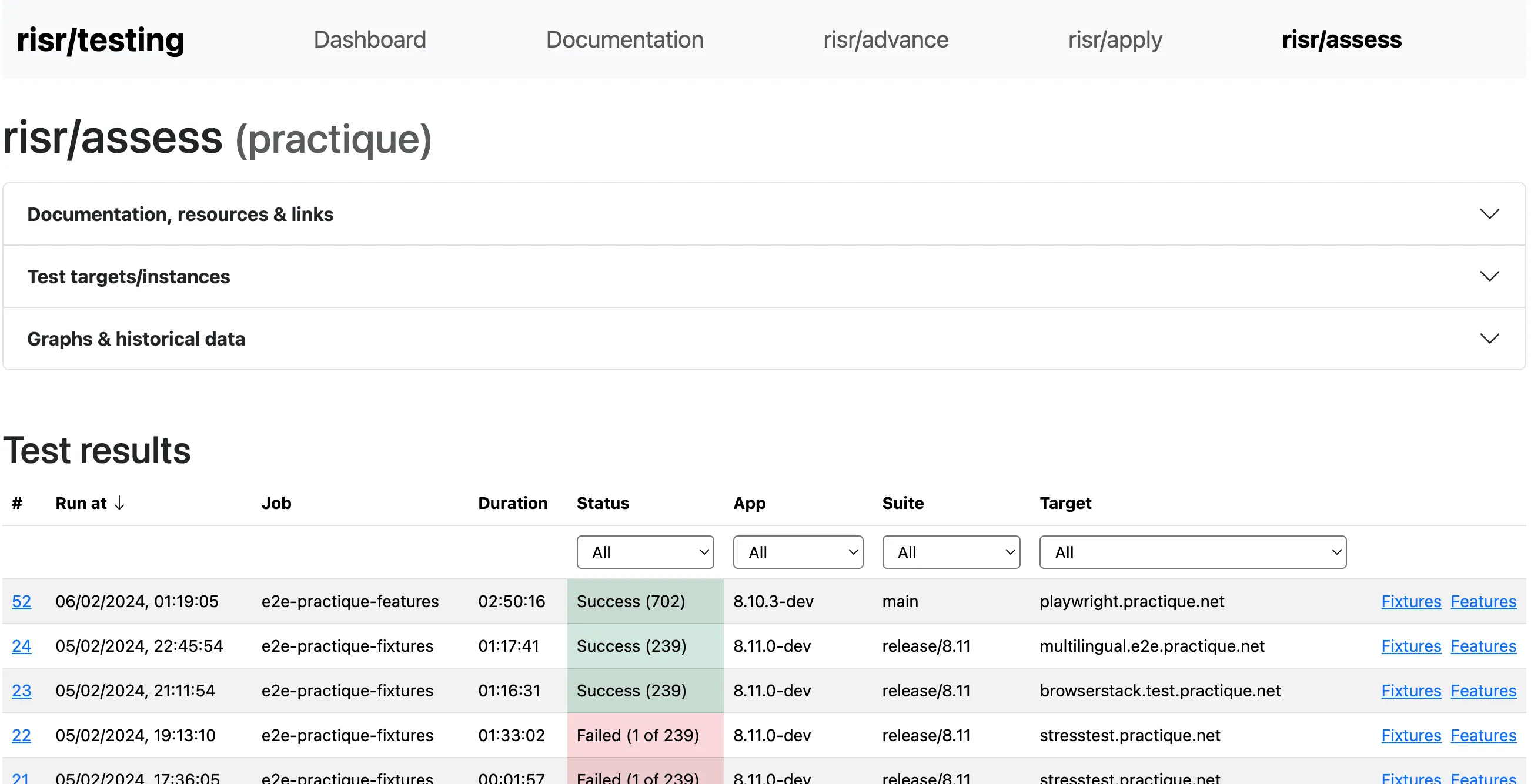
The test suites are executed on the Jenkins continuous integration server during the development and testing of the feature as well as part of the release process. The results of the test runs are then published to the risr/testing dashboard. The dashboard has more features which are documented in the Features of risr/testing dashboard.
risr/testing dashboard
Test results report