Testing dashboard features
risr/testing is a simple website with the goal to provide single place to access the Cucumber reports and other testing related information.
Dashboard
Dashboard of risr/testing contains quick overview showing last 5 test results for each product test suite product.
Documentation
It contains collection of the documentation resources and guides where you can find information how to contribute to testing, shared library of steps and test suite development.
Slack notifications
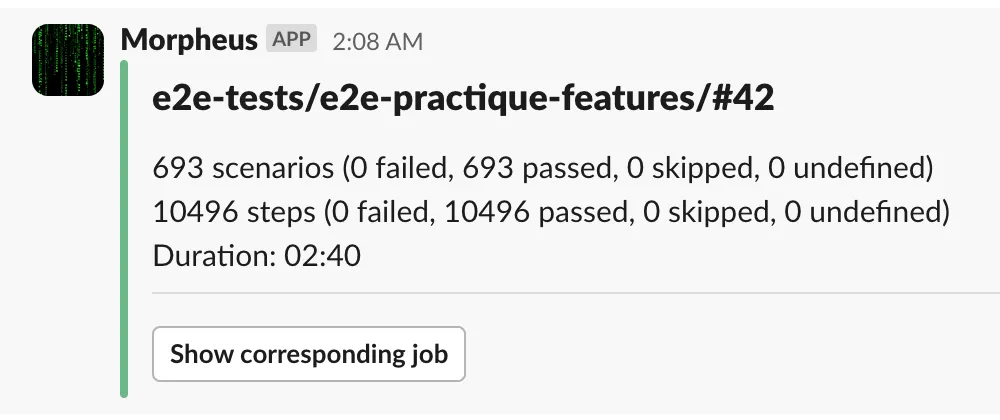
Test runs initiated as Jenkins jobs report the results of the test run into relevant Slack channel.
Product pages
Each product risr/advance, risr/apply and risr/assess has a dedicated page which contains detailed information and resources divided into following sections.
Product documentation resources & links
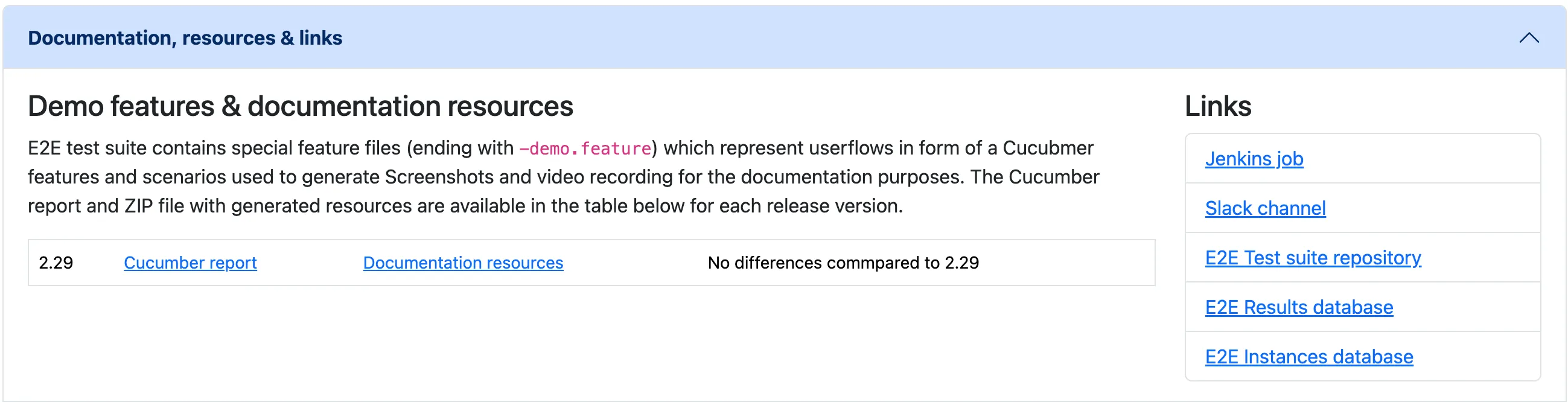
This section provides links to key resources such as Jenkins jobs, Slack channel, etc…
There is also table with generated Documentation resources which contains downloadable ZIP file with screenshots and recorded videos for the special Documentation features.
Product testing instances
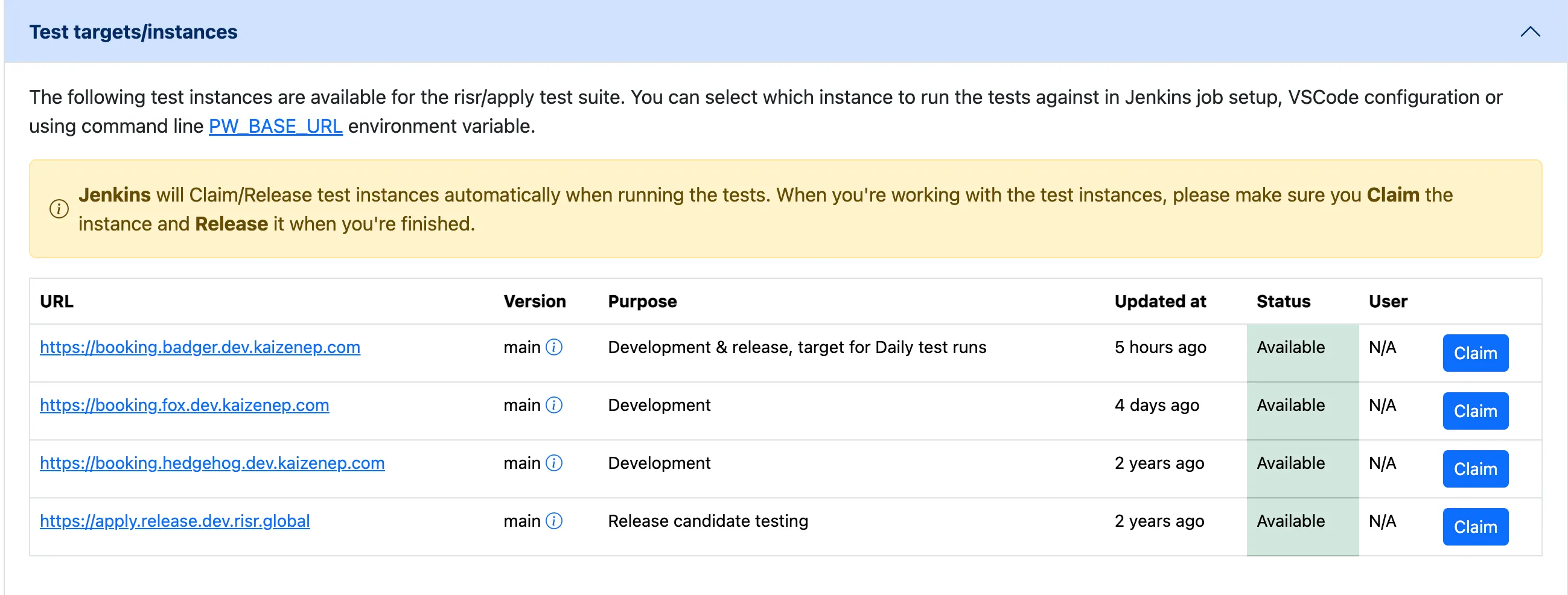
This section provides information about test instances used for testing for given product. It lists the instances and allows to display detailed information about the settings and version of the instance.
As we have limited number of test instances we introduced usage management. Users who work with the instance should Claim it and Release it when they’re finished using the instance. This prevents random failures when multiple users are running test suite against one test instance. Jenkins automatically Claims and Releases the instance when job is run.
Product rest result reports
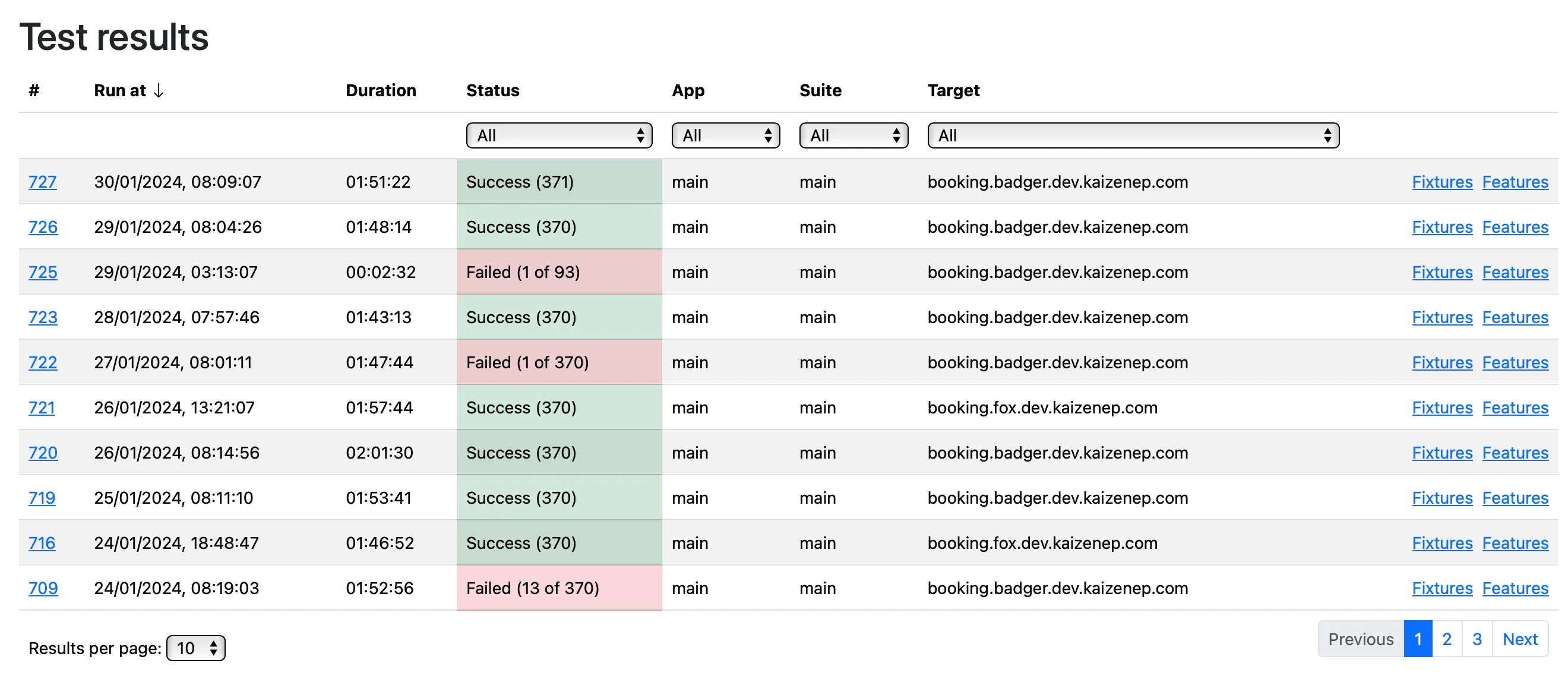
Cucumber reports from the Jenkins jobs for each product are automatically published and available on the dashboard. The product page contains results table which lists the jobs and provides links to the Cucumber reports (features, fixtures) as well as link to the Jenkins job.