Continuous integration with Jenkins
We use a Continuous integration (CI) tool called Jenkins to deploy, automate, schedule and run our E2E test suites. We have a Jenkins server which is used to run E2E test suites automatically or on-demand.
To access the risr/ Jenkins server you will need
login information which can be obtained from the 1Password risr/ general accounts vault.
Running test suites periodically
Jenkins is configured to run E2E test suite for each of the products periodically to ensure a healthy state of the specific branches of the code.
These scheduled test runs are under Dashboard > Deploy and Test folder where you can see a list of currently defined jobs. These jobs combine deployment and test run in a single job for full automation ensuring that the correct version of the product and E2E test suite run together.
Periodic Deploy and Test jobs
- E2E - Advance and Apply - DAILY - Test MAIN
- Daily test for the
mainbranch of risr/apply and risr/advance againsthedgehog.dev.kaizenep.com - E2E - Advance and Apply - WEEKLY - Test RELEASE
- Weekly test for the
releasebranch of risr/apply and risr/advance againstapply.release.dev.risr.global,advance.release.dev.risr.global - E2E - Assess - DAILY - Test DEVELOP
- Daily test for the
developbranch for risr/asses againstnext.e2e.assess.risr.global - E2E - Assess - WEEKLY - Test CURRENT
- Weekly test for the
currentbranch for risr/assess againstcurrent.e2e.assess.risr.global
Running a test suite on-demand
Most of the time when working on the E2E test suite or verifying a bug or feature we need to run a specific test suite or its portion on-demand.
When running a test suite on-demand you need to configure the job for Jenkins to know how and where to run it. You use Build with Parameters action for a specific job which will display a page where you can set your configuration options and start the build.
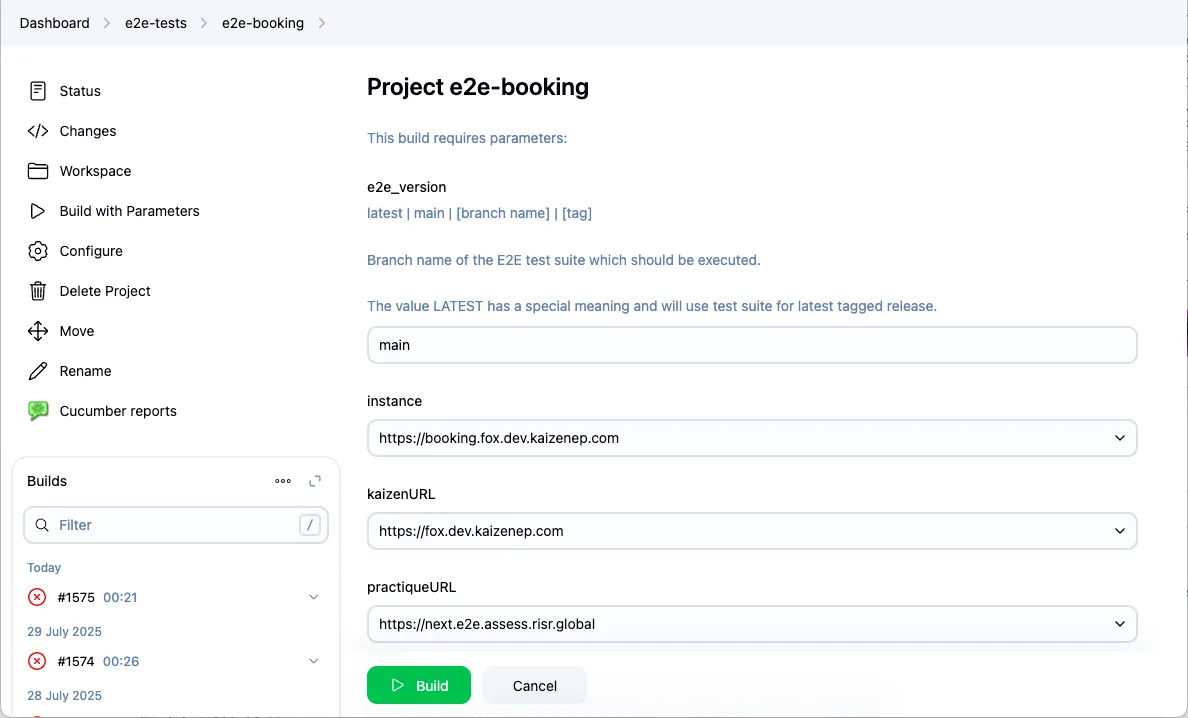
Job configuration parameters
All jobs have similar set of parameters which you can use to configure the test run (or deploy). All parameters are documented on the Jenkins job page, but here is a quick overview of the most important ones:
- e2e_version
- Version of the E2E test suite to run, this is usually a branch of the E2E test suite repository.
- instance (practiqueURL, kaizenURL, bookingURL)
- Configuration of the target instances against which the test suite will run.
- tags
- Cucumber tags (
@DK-1234) to filter the feature files, allowing to run sub-set of the test suite (eg. bug fix or mod tests). - features
- Path to a specific folder or feature file to run, allowing a sub-set of the test suite to run (eg. bug fix or mod tests).
- regenerate_fixtures, run_test_suite, etc…
- Options allowing for skipping or enforcing certain steps of the test run.
On-demand E2E test suite jobs - with deploy
If you need to quickly run a test for a specific branch of a product and test suite
including a deploy to the selected test instance, then there are pre-made jobs under
Dashboard > Deploy and Test folder
which accepts parameters to customize the test run.
- Dashboard > Deploy and Test > E2E - Advance - Parametrised deploy and test
- Job to run risr/advance test suite based on the set parameters
- Dashboard > Deploy and Test > E2E - Apply - Parametrised deploy and test
- Job to run risr/apply test suite based on the set parameters
On-demand E2E test suite jobs - without deploy
In case you do not need a deploy and need to just run a test suite against a test instance which already has the target version of the product use jobs under Dashboard > e2e-tests folder.
- Dashboard > e2e-tests > e2e-booking
- Job to run risr/apply test suite configured with set of parameters
- Dashboard > e2e-tests > e2e-kaizen
- Job to run risr/advance test suite configured with set of parameters
- Dashboard > e2e-tests > e2e-practique
- Job to run risr/assess test suite configured with set of parameters
Deploying product version to a test instance
Under deployment there is Deploy to E2E instance job which can deploy backend & front end code at a certain version onto the test instance using Build with Parameters task with following parameters:
cluster- instance to which the app code will be deployed, and later used as test targetrelease- What version of the app code should be deployed, this will most likely be a feature alias, tag or custom configuration
Results & reports
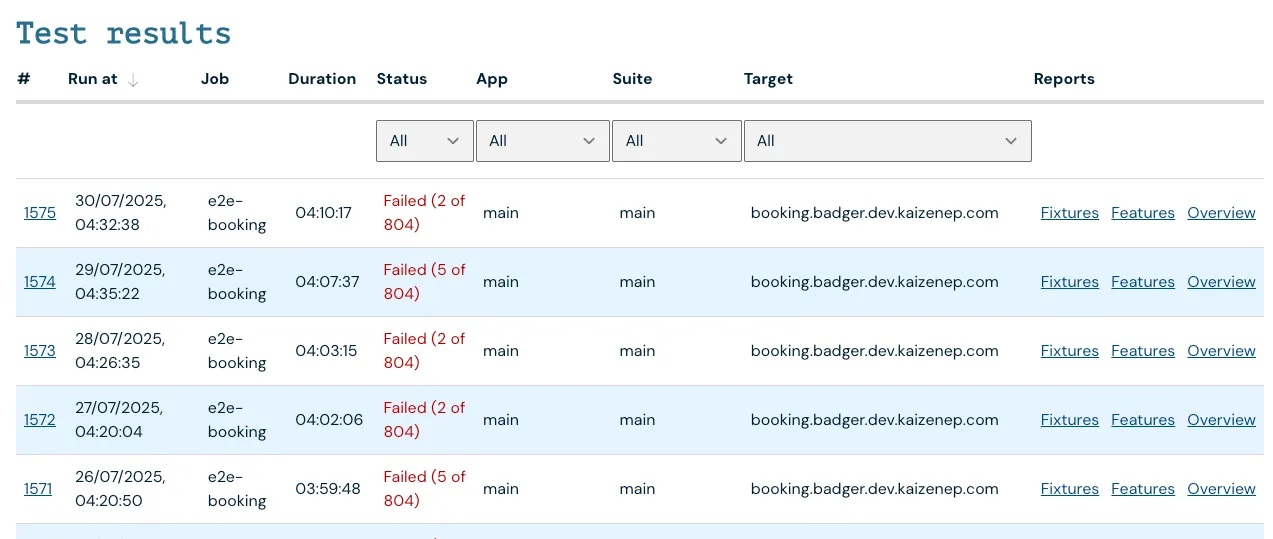
Test results from the above test runs are automatically published to the risr/testing dashboard where you can find the uploaded reports for Fixtures and Features as well as links to the Jenkins job which ran the test suite. Each product has a dedicated page rirs/apply, risr/advance, risr/assess on the dashboard with the reports and other information.